
Sell by weight or by the piece
1.25 kg of tomatoes, 250 g of cheese, or three tins — the till handles all of it, and reads the weight straight off your scale's own printed label.
A complete point-of-sale, stock and reporting system that runs on your shop's own computer. No monthly cloud bill, no lost sales when the connection drops.
One computer, one shop, one price — or forty branches reporting to a head office.
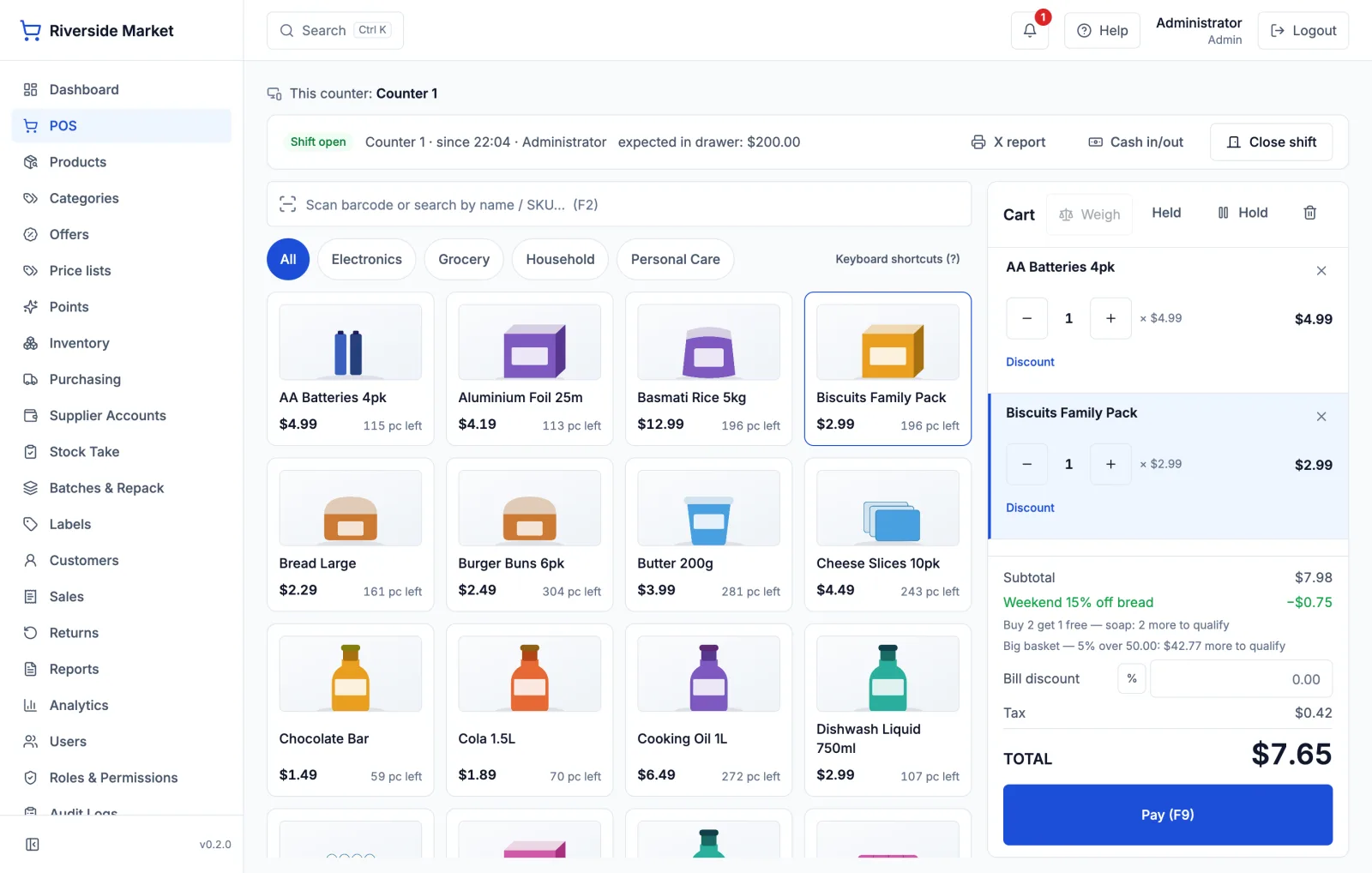
1.25 kg of tomatoes, 250 g of cheese, or three tins — the till handles all of it, and reads the weight straight off your scale's own printed label.
"Any 3 for 12.00", buy-two-get-one, a percentage off, a discount for paying cash, a weekend price that switches itself off on Monday. You write the rule once; the till applies it and the receipt explains it.
Four questions answered separately: what your own price list gave away, what your offers cost, what a cashier took off, and who approved it. With a limit on what staff can discount without a manager.
Two deliveries of the same product keep their own dates, the oldest sells first, and a 100 kg sack becomes a hundred one-kilo packs with both sides of the move recorded.
Purchase orders, part-deliveries, supplier bills and payments — so "who do I owe, and how long has it been" has an answer instead of a shoebox.
Sell on account with a credit limit, take payments against it, and hand over a statement. A credit sale is never counted as cash in the drawer.
Prices with tax inside or added on top; standard, zero-rated and exempt kept apart; rates that change on a date without rewriting last year's sales. Reporting to a tax authority plugs in rather than being baked in.
Counters share one shop over your own network, each with its own cash drawer, its own invoice numbers and its own end-of-day report.
Scan, take payment, print the receipt. Built for a queue — keyboard and barcode first, big buttons, no waiting on a spinner.
Every movement is recorded, so your stock figure always matches what actually happened. Low-stock and expiry warnings before you run out.
Full or partial returns against the original bill. The original sale is never edited, so your books stay straight.
Give each cashier their own login and decide exactly what they can do. Discounts and price changes need a manager's approval.
Daily sales, best sellers, slow movers, busiest hours, profit by category — worked out from your real sales, not guesses.
Everything lives on your computer. One-click backups you can copy to a USB. Nothing is held hostage in someone's cloud.
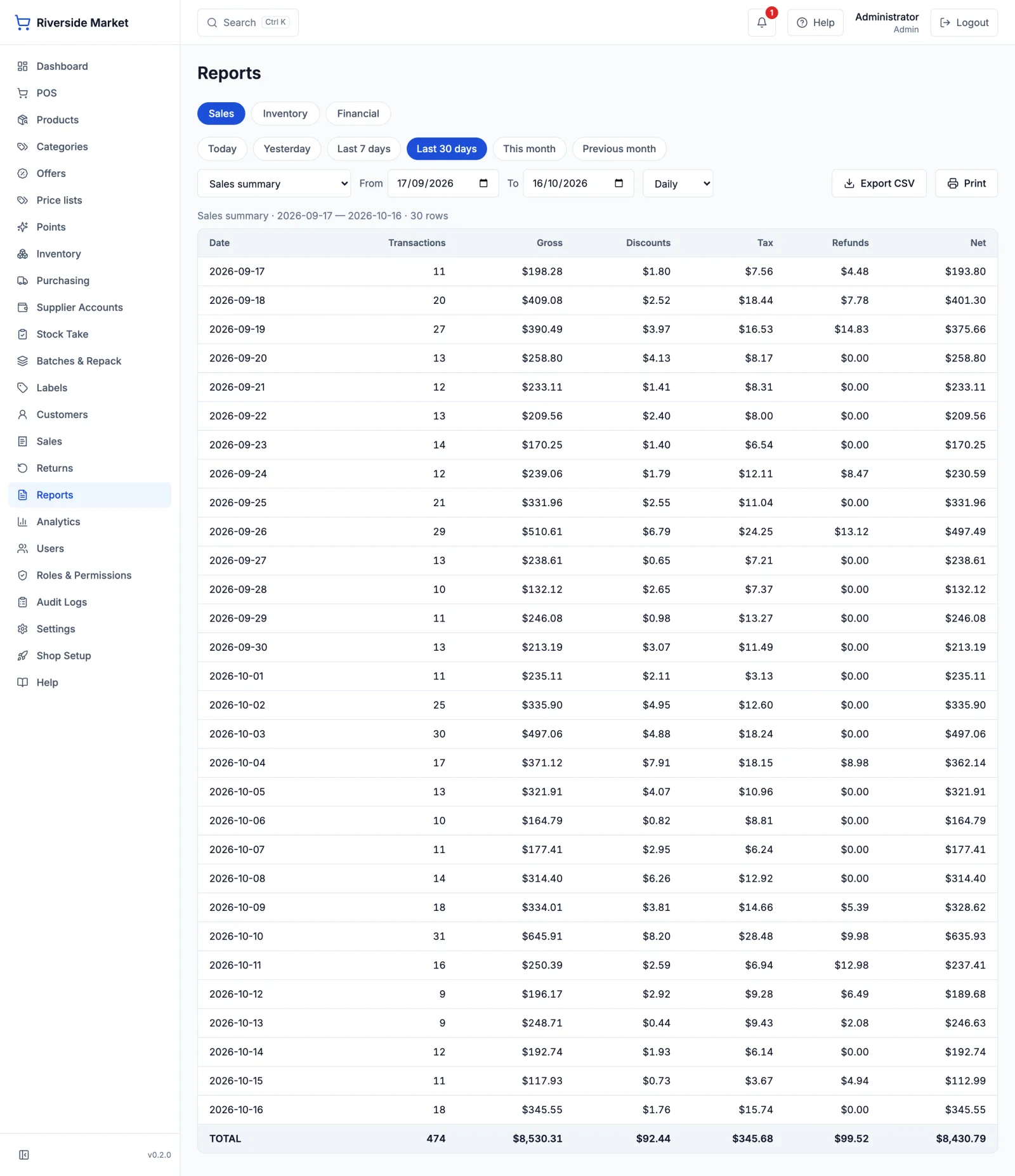
Nothing here is a drawing. These are the actual screens, running a demo shop with sixty days of trade in it.
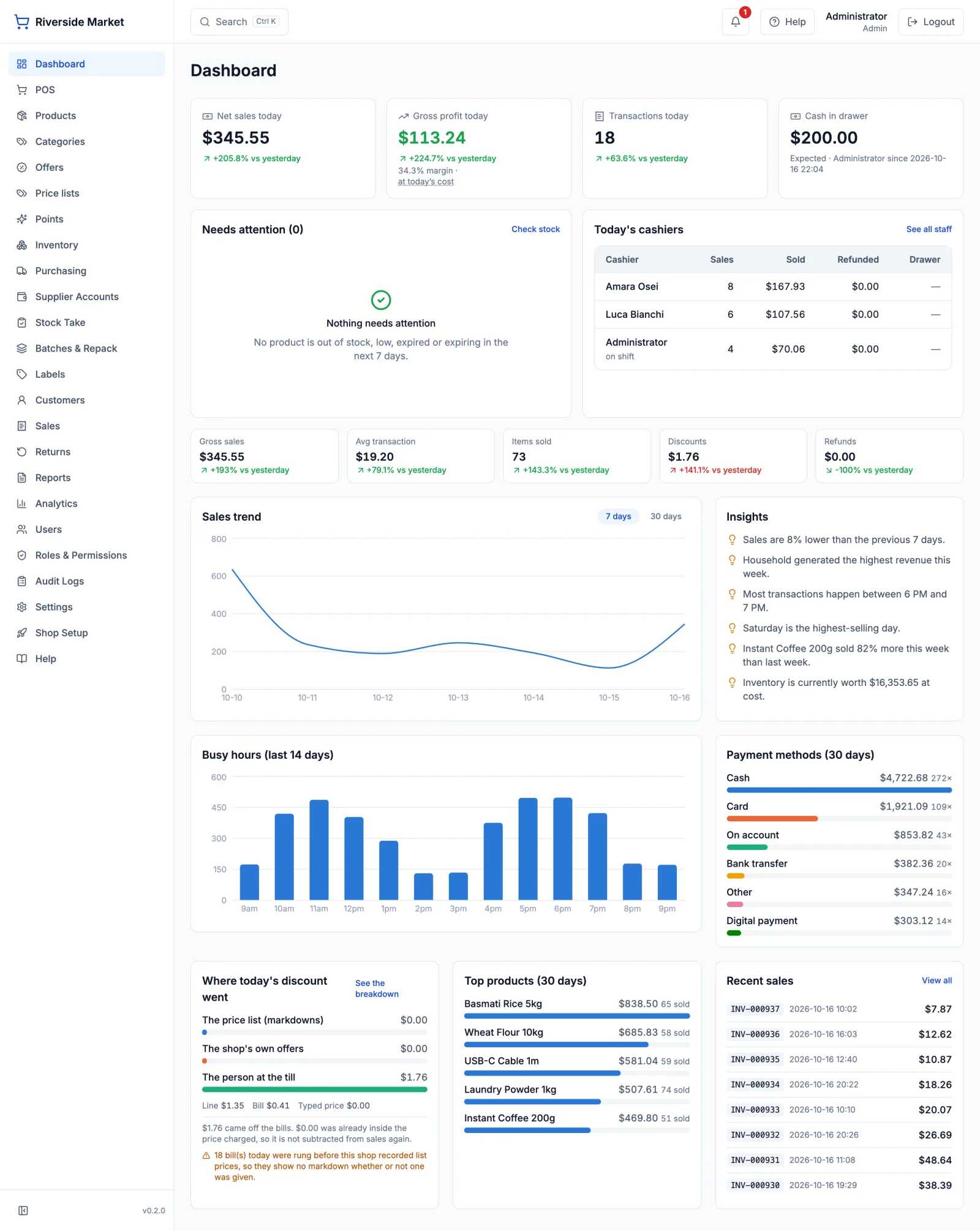
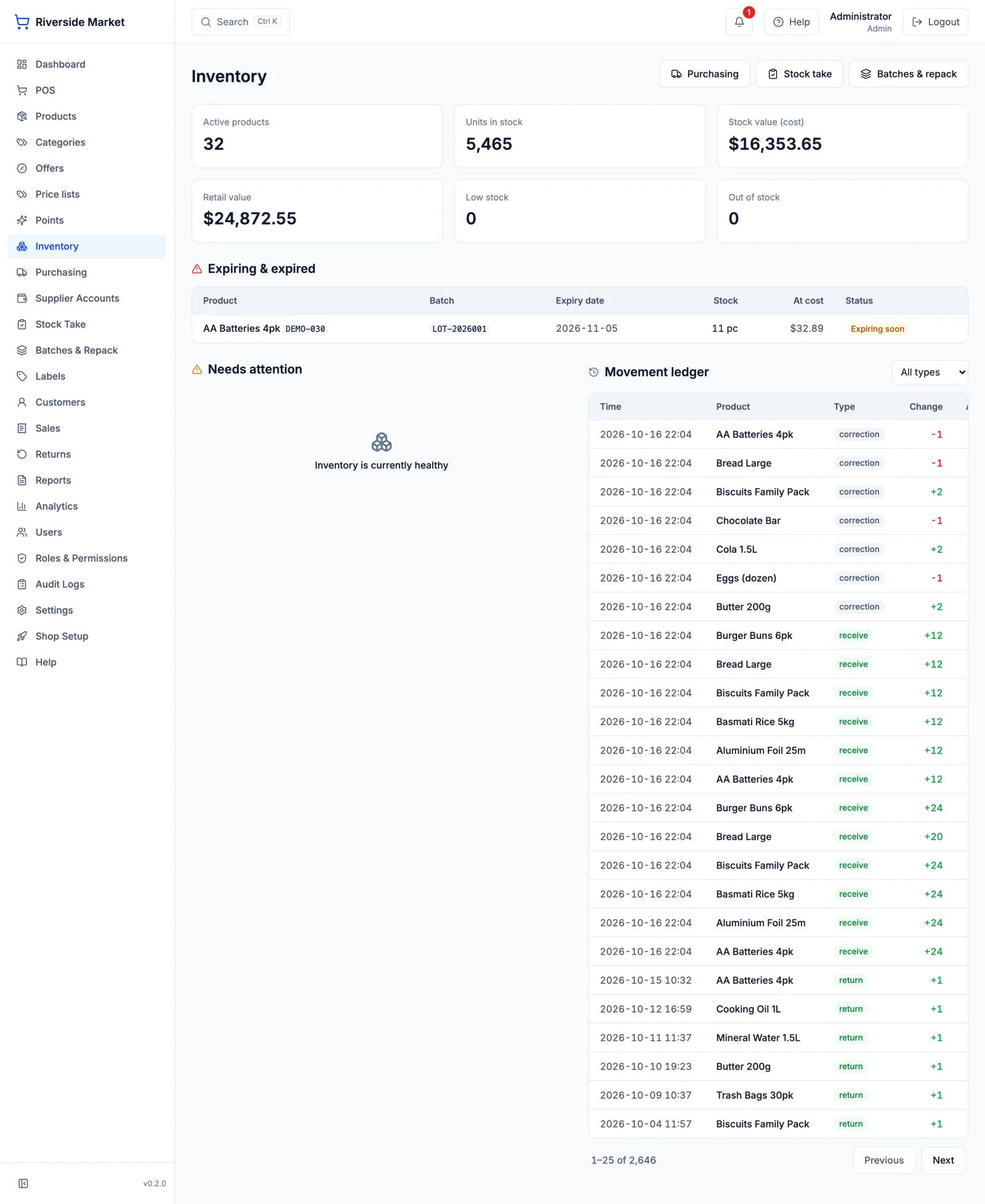
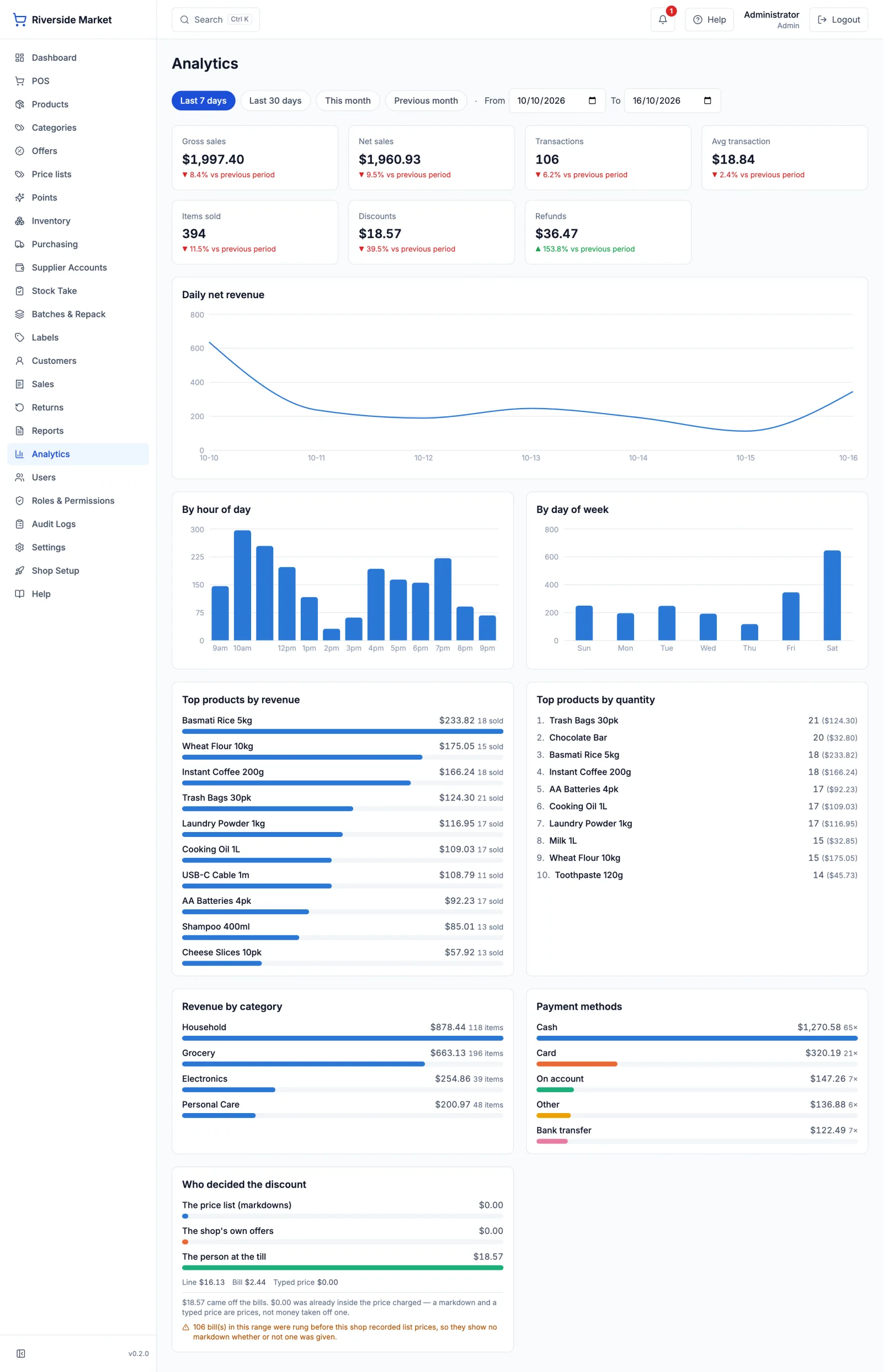
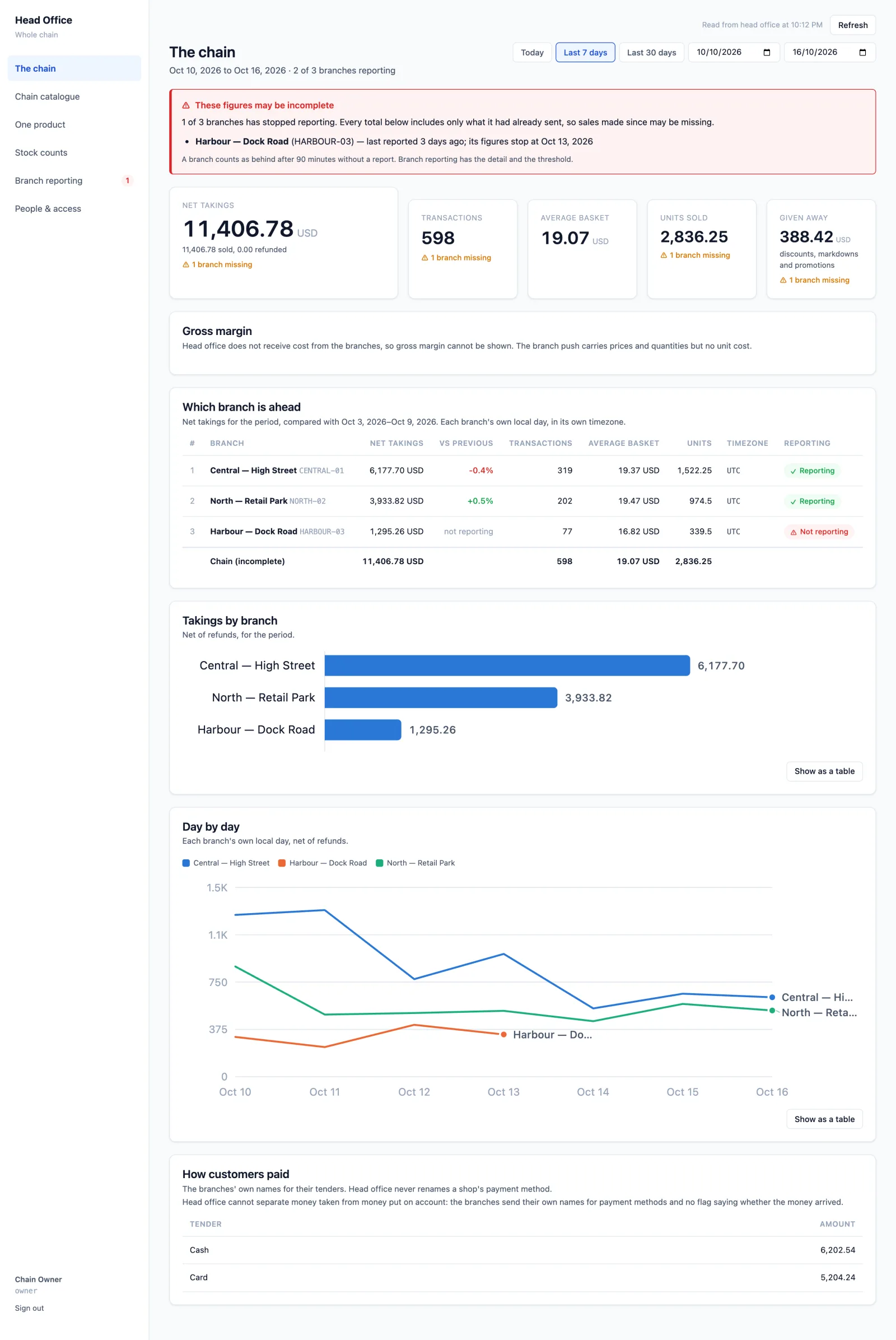
Branches keep selling on their own machines and push their takings up to a head office. If the line drops, the till does not care — the figures go up when it comes back, and nothing is counted twice.
A cloud till with no connection is a closed shop. This one does not reach for the internet to ring a sale, because the sale, the prices and the stock are already on the machine in front of the cashier.
You buy the software once, for the shop, and it keeps working. There is no subscription that switches your counter off when a card expires.
Every bill, every customer and every cost price sits in one file on your own disk, which you can back up to a USB stick in one click. Nothing is held in someone else's account.
Stock can never move without a matching ledger row, and a built-in check re-proves that the two agree — so the figure on the screen is the figure that happened, not a cached guess.
One licence per shop, bought once. No monthly fee, no charge per till, no percentage of your takings, and no extra for the reports. A licence is tied to the computer it is activated on, and we can move it if you change the machine.
Tell us how many counters and branches you run and we will give you the number in writing — ask for a quote.
Your data is a single file. Restore your latest backup onto the new machine and carry on; we move the licence across for you. Take the backup seriously — it is the one thing we cannot recover for you.
Yes, for selling, stock, returns and reports — all of it. The only step that needs a connection is typing your key in once when you install, and a check-in about once a month that keeps working offline for weeks in between.
Receipt printers and barcode scanners work the way they always do. For scales, the till reads the weight off the label your scale prints, which is how supermarket scales are normally used. Tell us your models and we will say plainly whether they fit.
Import a spreadsheet, or scan a barcode and type the item in as you go. Adding a catalogue is the most expensive week a new shop has, and we help with it rather than leaving you to it.
Tax is a model here, not a hard-coded rate: prices with tax inside or added on top, standard, zero-rated and exempt kept apart, and rates that change on a date without rewriting last year's sales. Reporting to a specific tax authority plugs in — tell us which one and we will be straight about what is involved.
Branches sell on their own machines and push their takings to a head office you run. If a branch goes quiet, head office says so and marks the chain total incomplete rather than quietly reading low.
Only as far as you allow. Every reduction — a discount, an offer, a typed price, points spent — is measured against one limit, and going past it needs a manager and leaves a record with a name on it.
No. The only thing that leaves your shop is the licence check, which carries your key and nothing about your sales. If you run branches, they talk to your head office server — yours, not ours.
Tell us a little and we'll call you back. No obligation, and we'll be straight with you about whether this suits your shop.